RCS marketing is changing the way businesses talk to customers. You’ve probably noticed that regular SMS feels limited: no images, no buttons, no way to know if someone actually read your message. Rich Communication Services fixes all that, turning your messages into interactive experiences that look more like apps than texts.
The challenge? Most companies jump in without a plan and wonder why their campaigns fall flat. You need a proper strategy before you hit send on your first RCS message. Let me walk you through exactly how to do this right.
Step 1: Verify Your Brand Before Anything Else
Your first move is getting your business verified. RCS won’t let you send messages without it, and customers won’t trust unverified senders anyway. The verification process involves registering your brand with the mobile carriers, submitting your business documents, and getting approved.
This takes anywhere from a few days to a couple of weeks, depending on your region. You’ll need your business registration papers, logo files, and a clear description of what you’ll be sending. Each carrier has slightly different requirements, but platforms like Instasent handle most of this paperwork for you.
The typical mistake: companies assume they can verify and launch the same day. You can’t. Start this process at least three weeks before your planned campaign date. I’ve seen marketing teams scramble because they left verification until the last minute and missed their Black Friday window entirely.
Step 2: Map Out Your Customer Journey
Where does RCS fit in how people interact with your business? You need to answer this before you write a single message. Look at your current touchpoints: email, SMS, push notifications, phone calls. Which moments would benefit from rich media and interactive buttons?
Common use cases include order confirmations with tracking buttons, appointment reminders with reschedule options, promotional offers with product carousels, and customer service conversations. Pick two or three scenarios where RCS genuinely improves the experience rather than just adding bells and whistles.
The mistake everyone makes here is trying to convert everything to RCS at once. Start small. Choose one high-volume, high-impact message type and nail that before expanding. Your shipping notifications are usually a safe bet because customers actually want those updates and the tracking button adds real value.
Step 3: Build Your Fallback Strategy
Not every phone supports RCS yet. Around 40% of users worldwide can receive these messages, but that number varies wildly by country and carrier. You need a plan for everyone else.
Set up automatic fallback to SMS when RCS isn’t available. Your platform should detect this and send a simplified version of your message. This means planning two versions of every campaign: the rich RCS version and a stripped-down SMS backup that still gets your point across.
The typical error: designing gorgeous RCS messages and then just dumping the text into SMS without adjusting. Your SMS fallback needs its own thought. Remove references to images people can’t see, replace buttons with links, and make sure the message still makes sense. Test both versions before you launch.
Step 4: Design for Thumbs, Not Mice
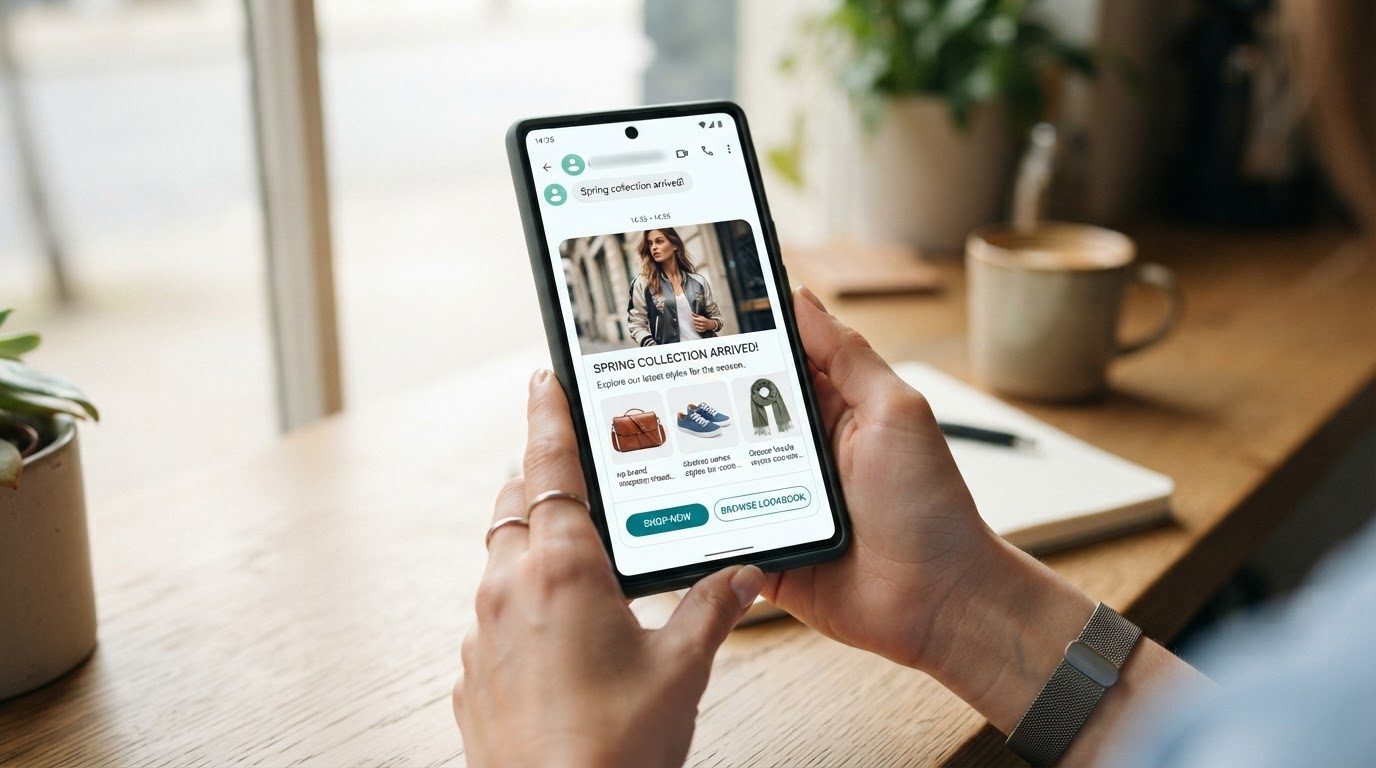
Your RCS messages need to work on small screens with one hand. That means big buttons, clear hierarchy, and not too many choices. Keep your button text short and action-oriented: «Track Order» beats «Click here to access your order tracking information.»
Use images that are recognizable even at thumbnail size. Product photos work great. Abstract brand imagery often doesn’t. If you’re showing multiple products in a carousel, limit it to five items maximum. More than that and people just scroll past everything.
The mistake: cramming too much into one message because you can. Just because RCS supports up to 10 suggested actions doesn’t mean you should use them all. Three clear options outperform seven mediocre ones every time. Keep it simple.
Step 5: Integrate With Your Existing Systems
RCS works best when it’s connected to your customer data. You need integration with your CRM, your e-commerce platform, and your analytics tools. This lets you personalize messages based on actual behavior and track what happens after someone taps a button.
If you’re using Salesforce Marketing Cloud, RCS integration lets you trigger messages based on customer journeys you’ve already built. Someone abandons a cart? Send an RCS message with the product image and a direct checkout button. Customer data platform integration means you’re not starting from scratch with a new system.
Common mistake: treating RCS as a standalone channel. It’s not. Your RCS campaigns should share data with everything else. If someone opts out via RCS, that needs to update your master preference center. If they make a purchase through an RCS link, your analytics need to attribute that conversion correctly.

Step 6: Write Conversational Copy
RCS messages should sound like a helpful person, not a marketing department. Use contractions. Ask questions. Keep sentences short. Your tone should match how your brand talks everywhere else, but lean toward the casual end of your range.
Lead with value. Why should someone care about this message right now? «Your package arrives tomorrow» is better than «We wanted to update you on your shipment status.» Get to the point in the first line because that’s all people see in their notification.
The error most teams make: writing RCS copy the same way they write email. Email has subject lines and preview text and lots of space. RCS is immediate and mobile. You have maybe two seconds to communicate your point. Cut every word that doesn’t earn its place.
Step 7: Test Timing Like Your Results Depend On It
When you send matters as much as what you send. RCS messages feel more intrusive than email because they buzz someone’s phone. You need to be respectful about timing.
Run small tests at different times of day and days of the week. For most businesses, mid-morning (9-11 AM) and early evening (5-7 PM) work well, but your audience might be different. B2B messages often perform better during work hours. Retail offers might do better in the evening when people are relaxing.
Typical mistake: sending at the same time you send email. Your email might go out at 6 AM so it’s waiting in inboxes when people wake up. Do that with RCS and you’re waking people up. Respect the fact that you’re reaching into someone’s pocket. Send during reasonable hours in their timezone, not yours.
Step 8: Make Opting Out Easy
This isn’t just good manners, it’s required. Every promotional RCS message needs a clear way to opt out. Include «Reply STOP to unsubscribe» or add an «Unsubscribe» suggested reply button.
Process opt-outs immediately. Someone who asks to stop receiving messages should never get another one. Update your database in real-time and make sure that preference syncs across all your channels. If they opted out of RCS, they probably don’t want your SMS either.
The mistake: making opt-out harder than opt-in. Some companies hide the unsubscribe option in tiny text or make people jump through hoops. This destroys trust and gets you reported. Make it obvious and frictionless. The people who want to leave aren’t your customers anyway, and everyone else will trust you more for being straightforward.
Step 9: Monitor Read Receipts and Engagement
One of RCS’s best features is read receipts. You can see when someone opened your message and which buttons they tapped. This data is gold for optimization.
Track your open rates, click-through rates, and conversion rates separately for RCS versus your SMS fallback. You should see higher engagement with RCS, but if you don’t, something’s wrong with your creative or targeting. Look at which specific buttons get clicked and which get ignored.
Common error: collecting data but not acting on it. If 80% of people tap your «Shop Now» button but only 10% tap «Learn More,» that tells you something. Your next campaign should lean into direct action rather than education. Let the numbers guide your strategy, not your assumptions about what should work.
Step 10: Scale Gradually With Automation
Once you’ve proven RCS works for one use case, expand methodically. Add new message types one at a time. Set up automated triggers based on customer behavior: welcome series for new subscribers, re-engagement campaigns for inactive customers, transactional updates for purchases.
Automation is where RCS really shines. A customer can ask a question, get an instant response with suggested replies, tap one, and complete an action without ever leaving their messages. Build these flows carefully, test every branch, and always include a path to a real human if the automation can’t help.
The mistake: automating everything before you understand what works. Get your manual campaigns right first. Learn what resonates. Then automate the winners. Automating a mediocre campaign just means you send mediocre messages faster.
What to Do First If You’re Starting Today
If you’re ready to launch your RCS marketing program, here’s your immediate action plan. First, start your brand verification process today. This is your longest lead time item and nothing else can happen until it’s done.
While verification is processing, audit your existing SMS campaigns. Which messages get the highest engagement? Those are your RCS candidates. Pick your top performer and redesign it with RCS features: add a product image, include action buttons, make it interactive.
Set up your fallback SMS version at the same time. Write both versions in parallel so you’re thinking about how they work together from the start. Get your technical integration sorted with your customer data platform so you can track results properly.
Run your first campaign as a small test. Send to 5-10% of your audience and compare results against your regular SMS. Measure everything: delivery rates, open rates, click rates, conversions, and revenue per message. Use those numbers to build your business case for scaling up.
The key is starting simple and learning fast. You don’t need a perfect strategy on day one. You need to get verified, send your first message, and see what happens. Every campaign teaches you something that makes the next one better.
Frequently Asked Questions
Do I need special software to send RCS messages?
Yes, you need a platform that connects to carrier RCS infrastructure. You can’t send RCS from your phone like regular texts. Business messaging platforms like Instasent provide the API access and tools you need. They handle carrier relationships, message routing, fallback to SMS, and analytics in one place. Trying to build direct carrier connections yourself takes months and requires significant technical resources.
How much does RCS marketing cost compared to SMS?
RCS typically costs slightly more per message than SMS, usually 10-30% higher depending on your volume and region. However, the improved engagement rates often make it cheaper per conversion. If your SMS has a 5% click rate and RCS gets 15%, you’re paying less to achieve the same result even though each message costs more. Most platforms charge based on successful deliveries, so you only pay when messages actually reach recipients.
Can I use RCS for promotional messages or just transactional ones?
You can use RCS for both promotional and transactional messages, but you need explicit opt-in for promotions. Transactional messages (order confirmations, shipping updates, appointment reminders) don’t require prior consent as long as they’re directly related to an existing customer relationship. Promotional campaigns need clear consent, just like SMS marketing. The rules vary slightly by country, so check local regulations for your market.
What happens if a customer’s phone doesn’t support RCS?
Your platform automatically detects RCS capability and falls back to SMS if needed. This happens behind the scenes without any action from you or the recipient. That’s why you need to design both versions of every message. The customer never knows you tried to send RCS first, they just receive a regular text message. Good platforms handle this seamlessly, and you can see in your analytics what percentage of messages delivered via RCS versus SMS fallback.
How do I integrate RCS with Salesforce Marketing Cloud?
Salesforce Marketing Cloud RCS integration typically works through a messaging partner like Instasent that provides a connector. You install the connector, authenticate your accounts, and then you can trigger RCS messages from Journey Builder or Automation Studio just like email or SMS. Customer data flows from your Salesforce contacts into RCS campaigns, and engagement data flows back for tracking and attribution. The integration lets you use your existing segments, personalization, and automation logic without rebuilding everything for a new channel.